
Understanding Quick Menu and Custom Settings on the Fujifilm X-T5
Easily Customize Your Camera for Efficient Shooting + Full 8-pages PDF Guide for Edit/Save Custom Setting

If you’re passionate about photography and want to get the most out of your Fujifilm X-T5, mastering the Custom Settings and Quick Menus is key. But did you know that the structure of the Quick Menu determines the structure of your Custom Settings? In this post, we’ll explain why that matters and how to make the best use of these customizable tools.
Quick Menu and Custom Settings: A Shared Structure
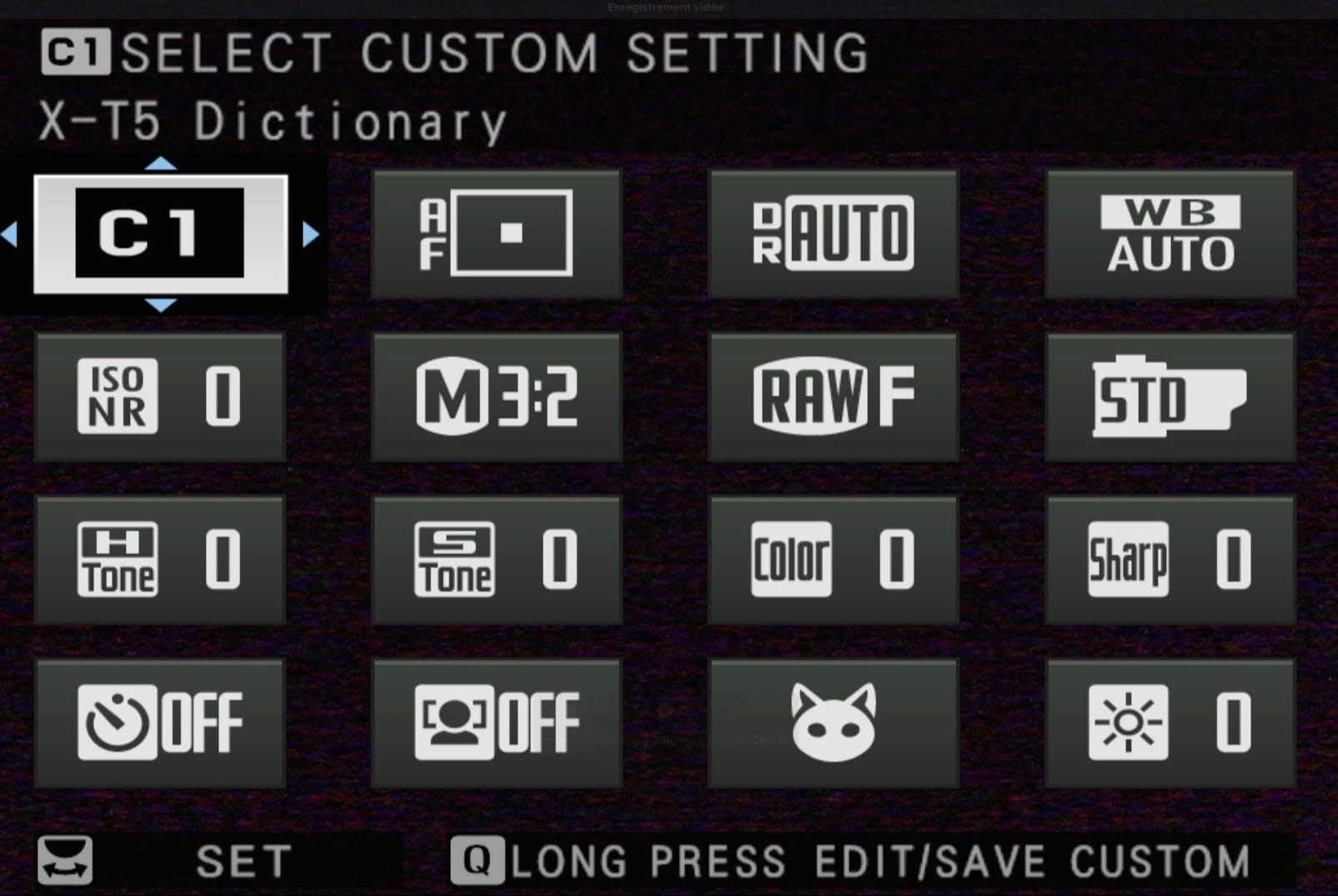
The Quick Menu (Q Menu) is a fast-access panel where you can store and access your favorite settings with ease. Each Quick Menu consists of 4, 8, 12, or 16 slots, each assigned to a specific parameter (ISO, film simulation, white balance, etc.).
Custom Settings, on the other hand, are pre-configured sets of settings that you can recall instantly (C1 to C7). The key point is that their structure mirrors the Quick Menu:
• If you modify the Quick Menu in Still Mode, it automatically changes the structure of the Custom Settings for Still Mode.
• Likewise, any changes made to the Quick Menu in Movie Mode will affect the Custom Settings for video.
Why Is This Important?
Understanding this connection is crucial for organizing your menus efficiently. By planning the structure of your Quick Menu, you also define how your Custom Settings will be arranged, allowing for faster, more consistent access to your preferred configurations.
Recommended Quick Menu and Custom Settings for Photography
Here’s an example of an optimized Quick Menu for photography:
Recommended Quick Menu (Still Mode)
1. ISO – For quick sensitivity adjustments.
2. Film Simulation – To change the look and feel of your images instantly.
3. White Balance – Convenient for adjusting colors to match ambient light.
4. AF Mode – To switch focus modes depending on the scene.
5. Metering Mode – For precise control over light measurement.
6. Dynamic Range – To manage highlights and shadows.
7. Drive Mode – For switching between single shot, burst mode, or bracketing.
8. Noise Reduction – To reduce noise in low-light shots.
Sample Custom Settings (C1 to C7)
Here are some suggested Custom Settings for different types of photography:
• C1 – Portraits: PRO Neg Hi film simulation, custom white balance for skin tones, Auto ISO.
• C2 – Landscapes: Velvia film simulation, Dynamic Range 400%, manual focus.
• C3 – Black & White: Acros film simulation with red filter for deep contrast.
• C4 – Street Photography: Classic Chrome, fast autofocus, Aperture Priority mode.
Exclusive Content for Subscribers
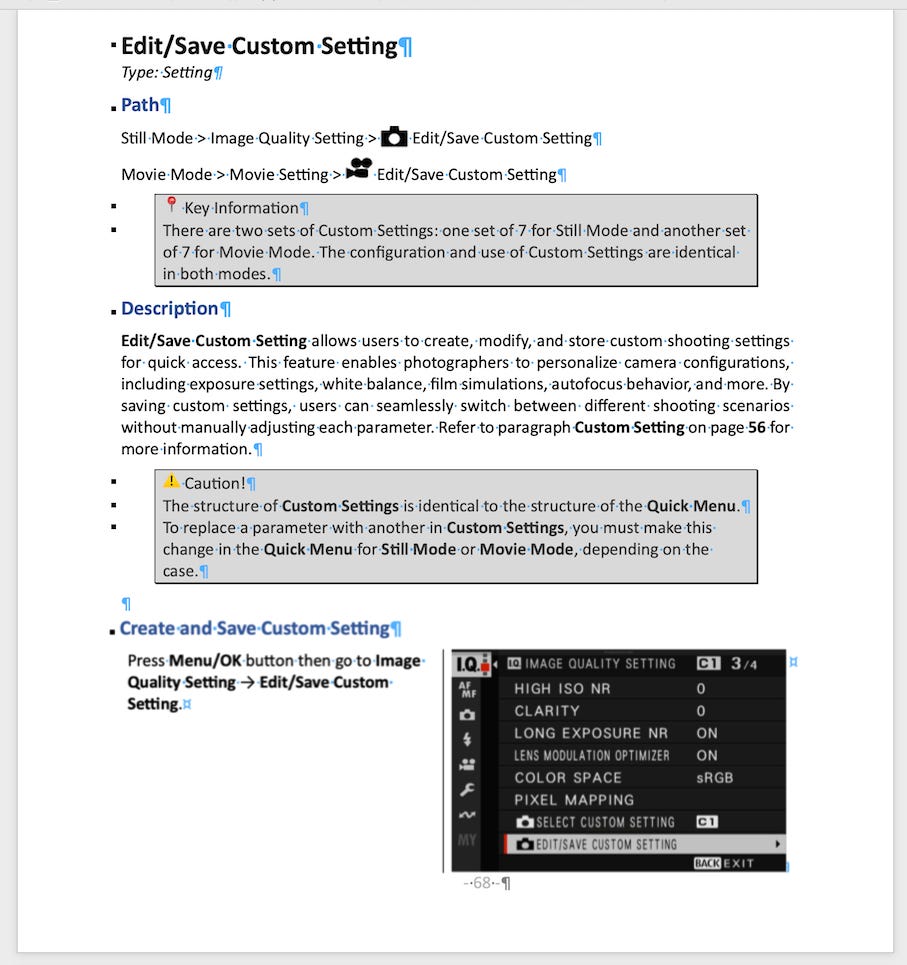
📄 Today’s Download: Subscribers can download the detailed 8-pages Edit/Save Custom Setting guide in PDF format. This document will help you master how to create and manage Custom Settings on your Fujifilm X-T5.
📢 Coming Tomorrow: Don’t miss the next exclusive resource! The Edit/Save Quick Menu guide will be available for download—perfect for those who want to customize their Quick Menus like a pro.
Today Download
👉 Subscribe now to access these premium resources and upcoming premium content to elevate your Fujifilm X-T5 experience!
Keep reading with a 7-day free trial
Subscribe to The Unofficial Fuji X Series User's Guide (EN) to keep reading this post and get 7 days of free access to the full post archives.